Create Campaign
Once your contact list is uploaded & your domain completes the 14 day reputation building / email warm up process, the real game begins. This is where you start winning your outreach battles. We make it easy to launch targeted, automated cold email campaigns that land in inboxes & not spam folders.
Deliveryman AI handles the technical heavy lifting in the background so you can focus only on writing a great offer & sending it to the right audience. Every step is designed to protect your domain reputation, keep your deliverability strong, & help you scale outreach with confidence.
Let’s kick off the campaign setup
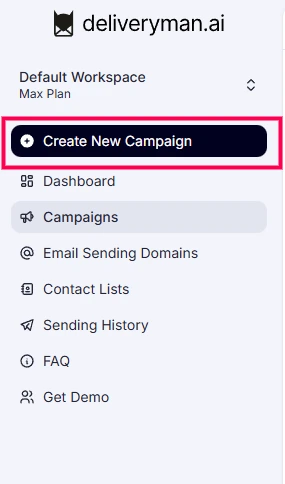
To start a new campaign, open the left sidebar & click Create New Campaign. This will open the campaign setup screen.
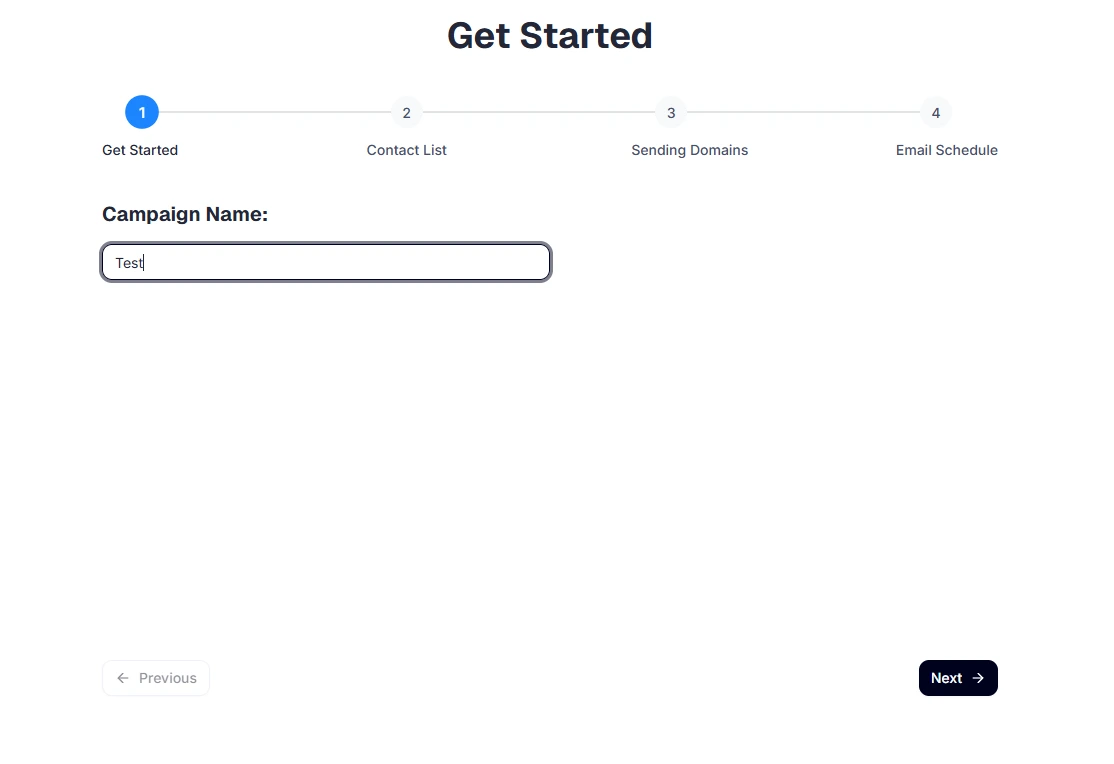
Begin by giving your campaign a clear name, so you can easily recognize it later.
Give A Campaign Name & Choose Contact List
Begin by giving your campaign a clear name, so you can easily recognize it later.
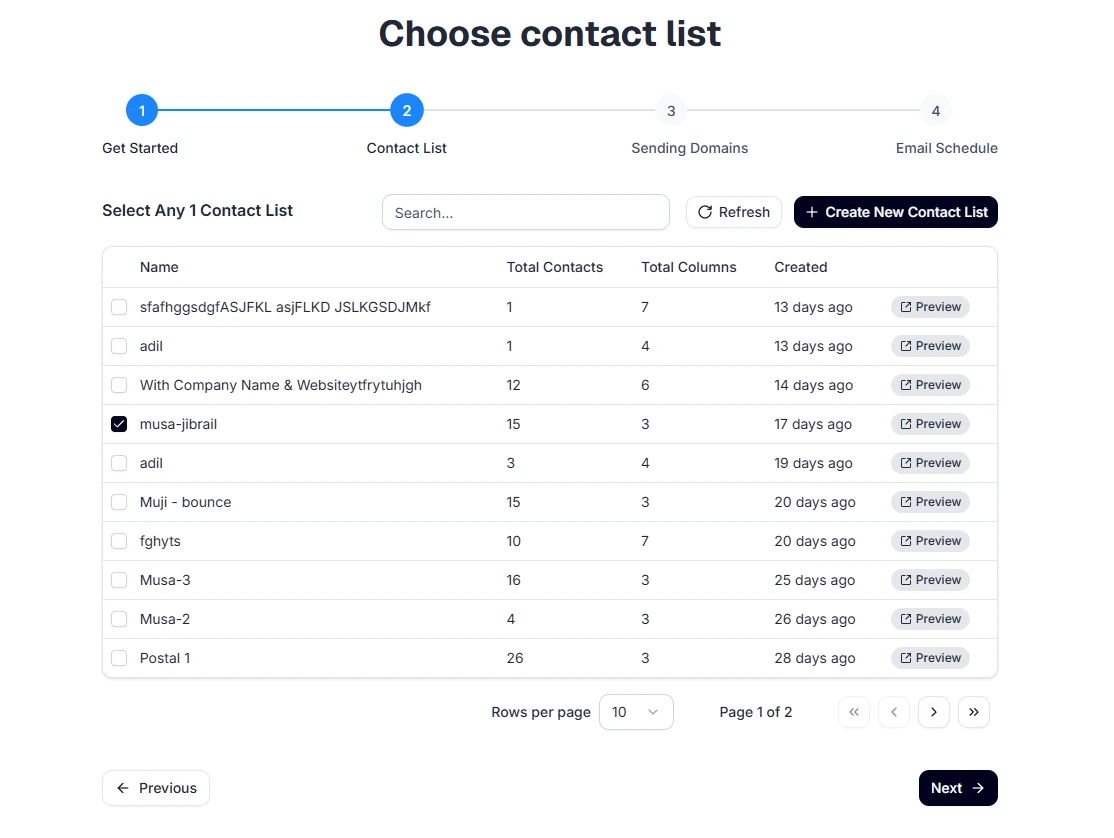
Select any one contact list that you want to send out your cold email campaign to.
Choose Sending Domains
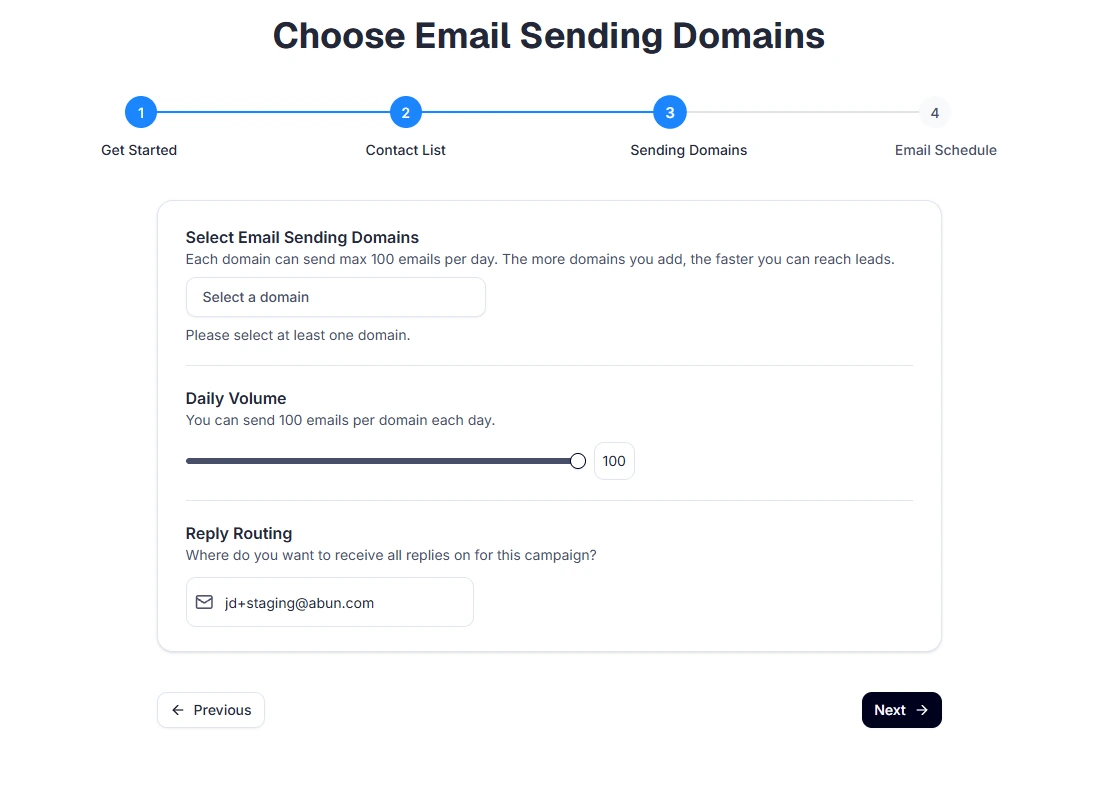
Choose the domains you want to send emails from, you can select multiple. After picking the first domain, the dropdown will let you add more. You can add more domains to your campaign anytime before launching it. Once the campaign is launched, adding or removing sending domains won’t be possible.
You don't have to worry about choosing mailboxes or managing them, we auto manage & use all the mailboxes that were created for each domain.
Choose multiple sending domains to send out more emails per day & finish your campaign faster.
Set Daily Sending Limit
You can set the max number of emails to be send per domain per day.
Use the slider to set the limit. This number can be between 10 & 100.
If you set it to 100, & have 2 sending domains, your campaign will send 200 emails per day.
The more domains you add, the more emails you can send each day.
Where do you want to receive replies?
Whenever any lead or contact replies to your campaign/email, we can auto forward to any email address of your choice. Enter the email address where you want to receive replies from the campaign.
Campaign Sending Window
Choose the days of the week when you want your emails to be sent & time range for emails to be sent. Minimum 3 hour time range is required.
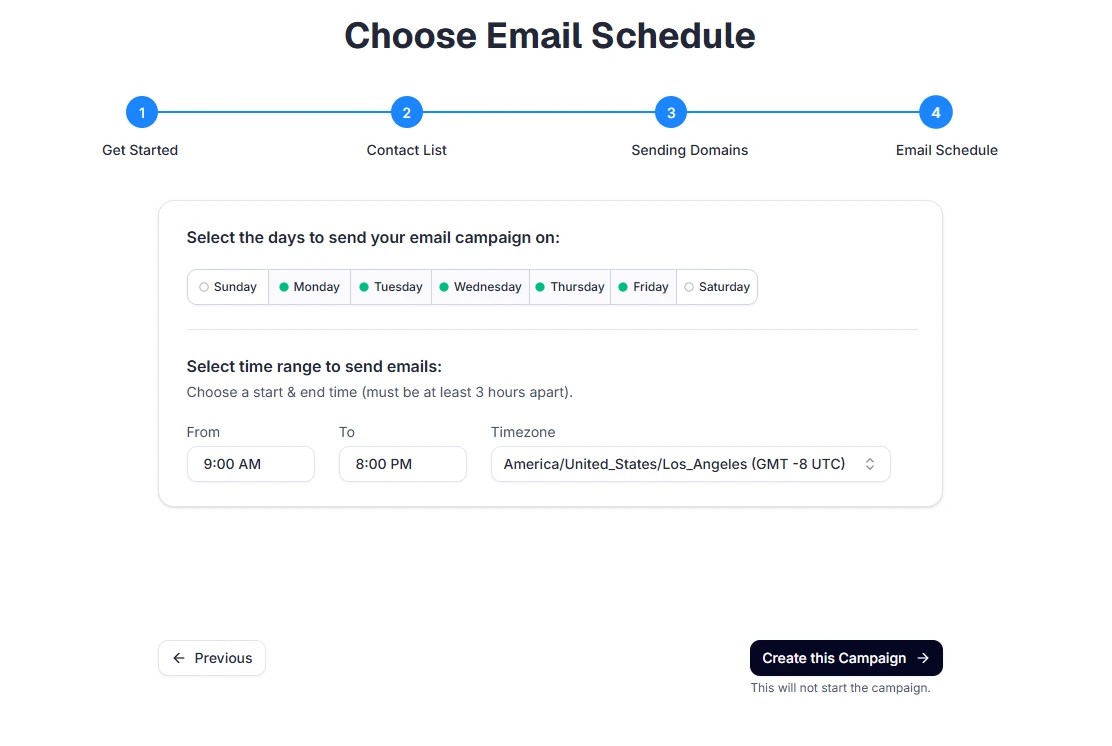
Once all settings look good, click Proceed to move to the next step of your campaign.
Email Content & Sequencing
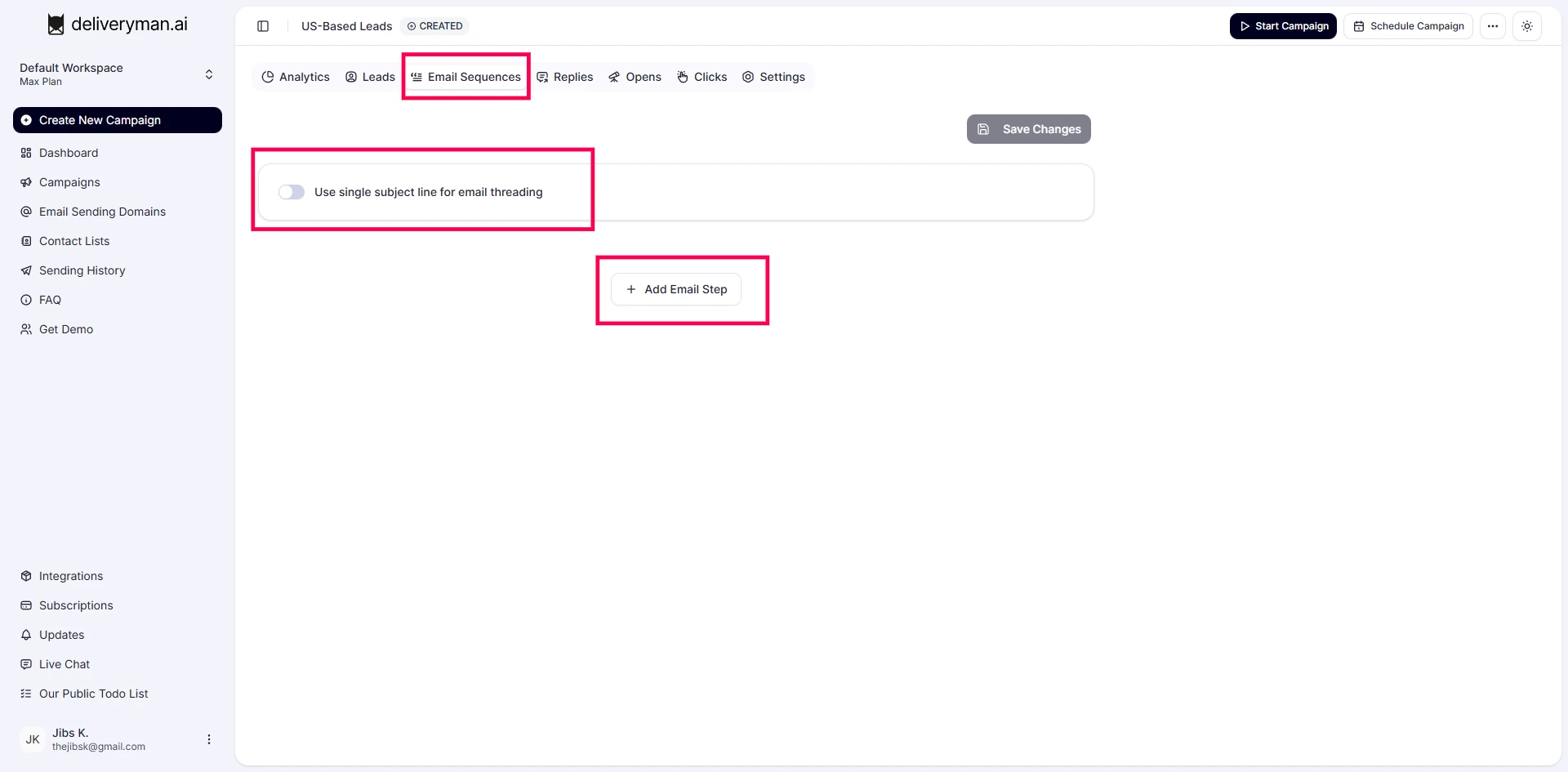
When you reach the Email Sequence section inside your campaign, this is where you shape the entire flow. You can start by clicking the Add Email Step button & begin writing your first message.
The editor lets you choose between Plain Text, Rich Text, or the HTML Emailer.
You can insert variables like {{First Name}} or {{Company Name}}, & you can add spintax such as {Hi | Hello | Hey} or {Best regards | Cheers | Thanks} to make every email feel more natural & unique.
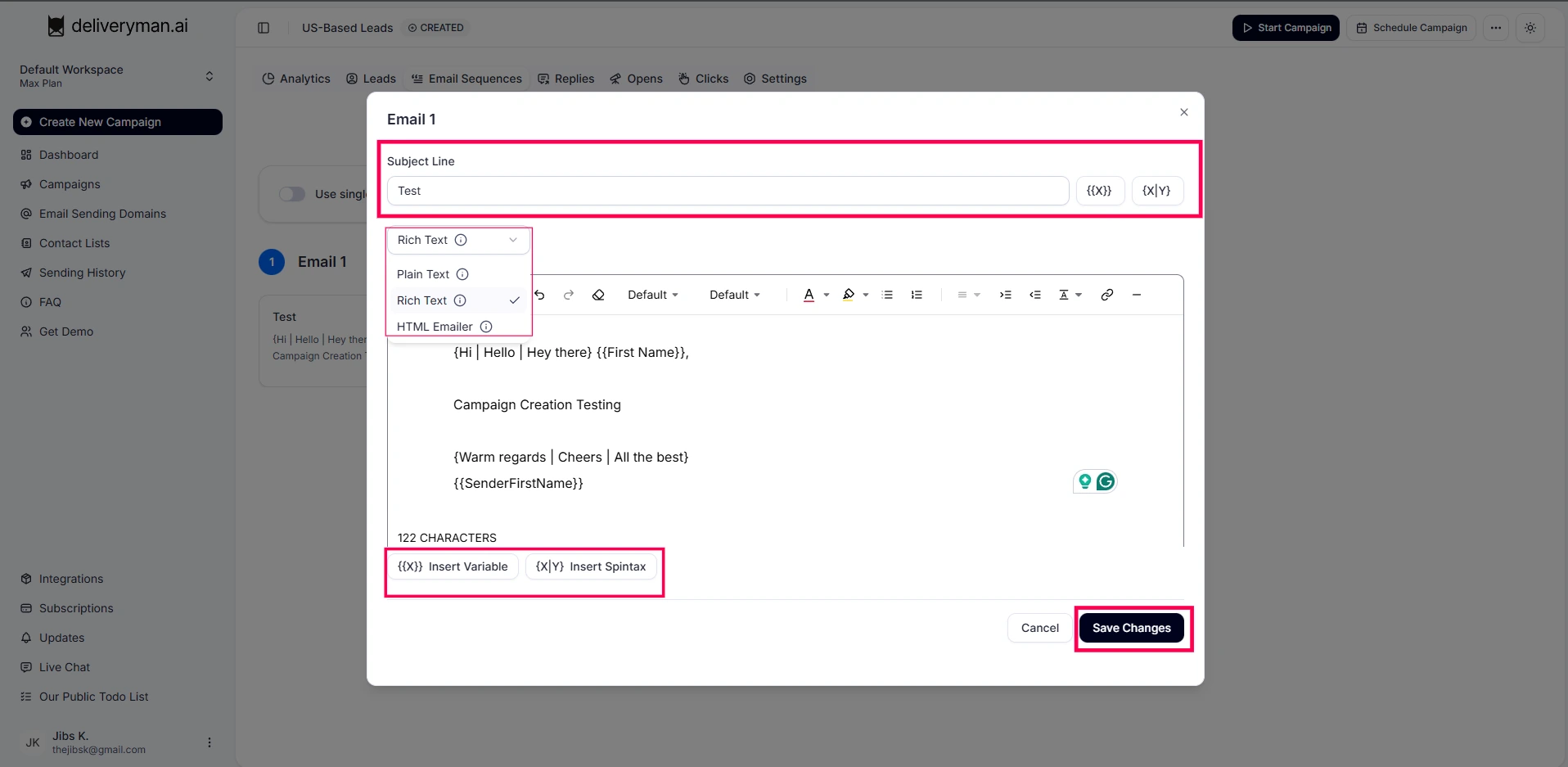
As you type, Deliveryman AI automatically runs a content check & shows you a score. This helps you keep your message clean, simple & inbox friendly.
This helps you keep your message clean, simple & inbox friendly.
You can also create a sequence of emails by adding more email steps.
You can add as many follow ups as you want & control the wait time between each step.
Campaign Settings
Here you can review your campaign settings & modify them as needed.
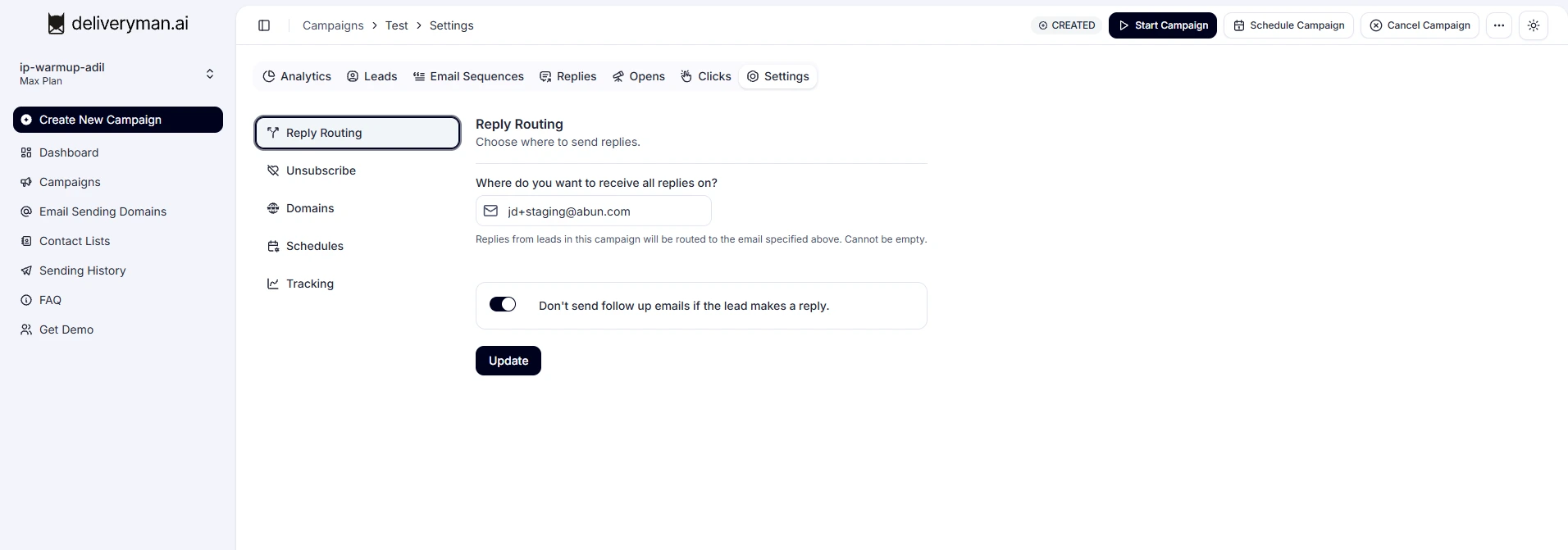
After setting up all emails, delays, & content, save your changes.
When the sequence is complete, you can launch with a single click.
Press Start Campaign & Deliveryman AI will begin sending automatically based on your selected days, sending window, domains, & daily limits. If you prefer to start later, you can schedule the campaign for a specific date & time, & the system will begin sending on its own.
This whole flow makes your outreach simple. You write your emails, choose your delays, preview or test them, then launch with confidence knowing Deliveryman AI handles the sending, timing, & deliverability behind the scenes.
Best Practices
The best results come when your emails feel targeted & personal. Start by using well segmented contact lists so every message speaks to the right audience.
Keep your subject lines short, clear, & focused on the person you are writing to. Give your follow ups enough breathing room so your domain stays safe & your messages reach real inboxes instead of filters. As your campaign runs, check the analytics in your dashboard to track opens, replies, clicks, & overall performance.
This helps you refine your outreach, improve engagement, & keep your deliverability strong over time. The more domains you connect, the faster you can scale your outreach because your sending volume gets spread across multiple safe reputations. This lets you reach more people each day without stressing a single domain or slowing down your campaign.